Max Care Facebook Software
Max Care Facebook: The demand for Facebook account management is increasing. Automating account building for personal sales and running ads is becoming more time-consuming and labor-intensive. Therefore, having an automation tool to support this process is essential.
How can a Facebook account automatically interact, add potential customers as friends, share posts, and publish advertisements in Facebook groups? These are the questions that online business owners on Facebook are constantly looking to answer.
In this article, MIN Software will introduce you to Max Care Facebook, an automated tool for managing Facebook accounts!
ARE YOU FACING THESE ISSUES?
- Facebook posts receive no engagement
- Sales rely heavily on Facebook Ads
- Ad accounts and sales accounts get banned
- The current online sales system is ineffective
- Spending too much time selling on Facebook but NOT getting results
- Weak execution team, no reports, no efficiency
- Relying on outsourced agencies—high costs, low effectiveness
If your answer is “YES”, then rest assured—”MINSoftware with Max Care Facebook” has got you covered! 🚀🎯
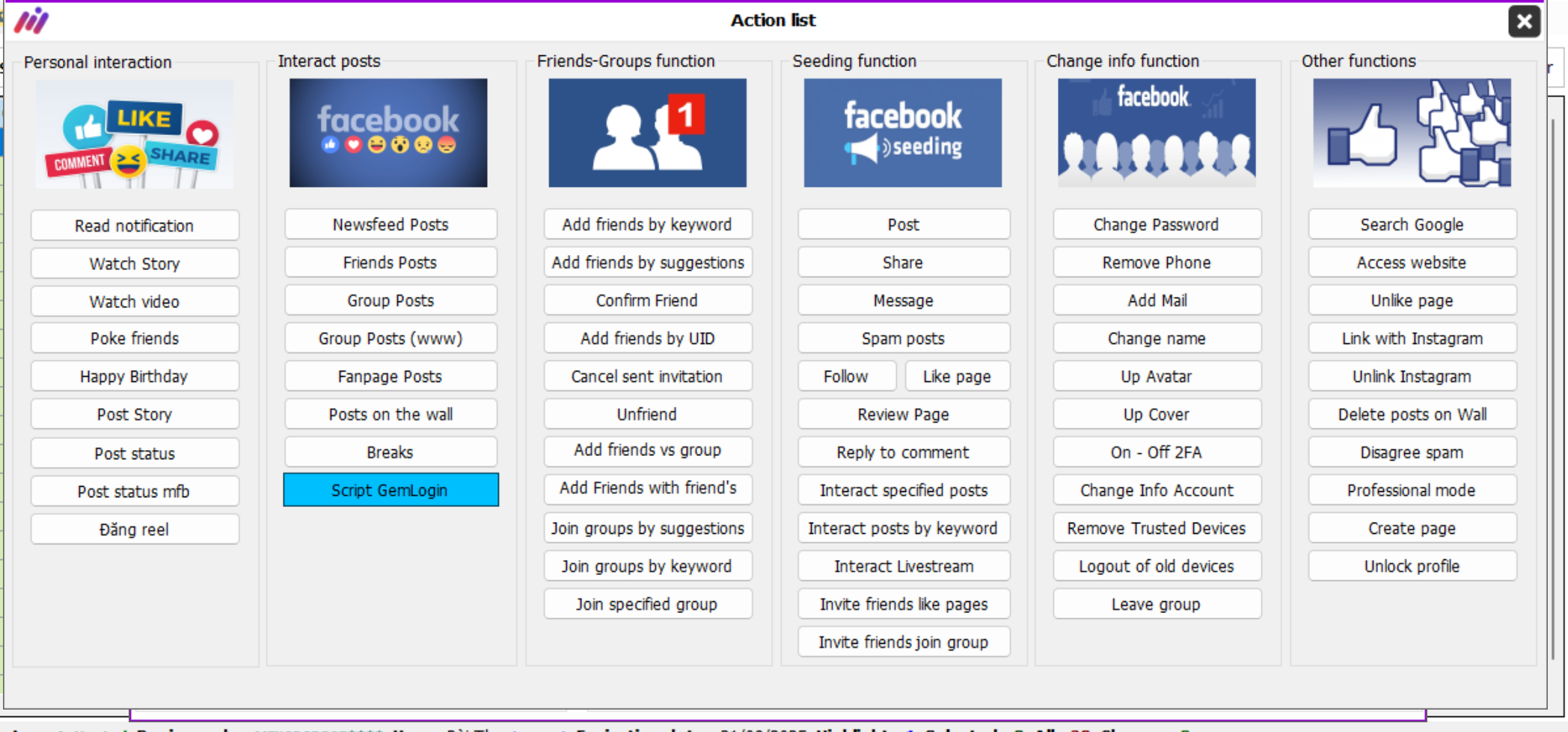
Features of Max Care Facebook Account Management Tool1. Automatic Interactiona. Quick Interaction
The software supports fast automated interactions on Facebook with four key actions:
- Post Interaction: Automatically likes and comments on posts in the newsfeed, groups, pages, and friends’ posts
- Friend Requests: Adds friends based on keywords, UID lists, suggestions, and automatically accepts friend requests
- Friend Engagement: Sends automatic messages, birthday wishes, and pokes friends
- Group Joining: Automatically joins groups using ID lists.
Scenario-Based Interaction
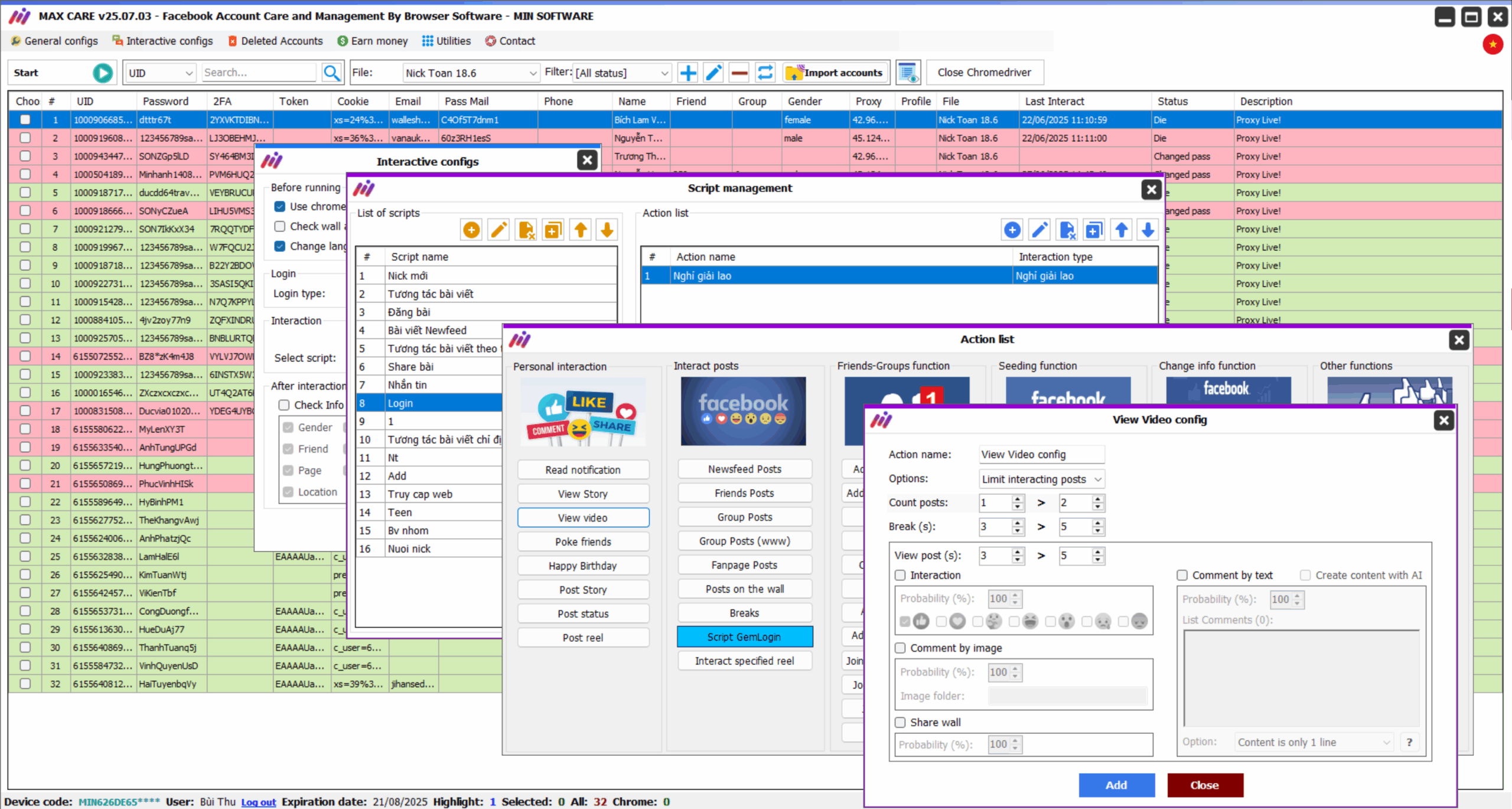
Max Care Facebook allows you to create interaction scenarios that simulate natural user activity on Facebook. Each scenario consists of multiple actions executed in sequence from top to bottom
– Personal Interaction
Includes the following actions:
- Check Notifications: Reads Facebook notifications
- View Stories & React: Watches stories and leaves reactions or comments
- Watch Videos: Engages with videos in Facebook Watch by liking, sharing, commenting, and following
- Send Messages: Prepares message content and sends it to specified UIDs or random contacts
- Poke Friends: Sends pokes to friends
- Send Birthday Wishes: Automatically wishes friends a happy birthday
- Reply to Messages: Sets up automatic responses to incoming messages from friends
- Post Status Updates: Publishes text, images, or videos and tags friends using specified UIDs

Post Interaction
Includes the following actions:
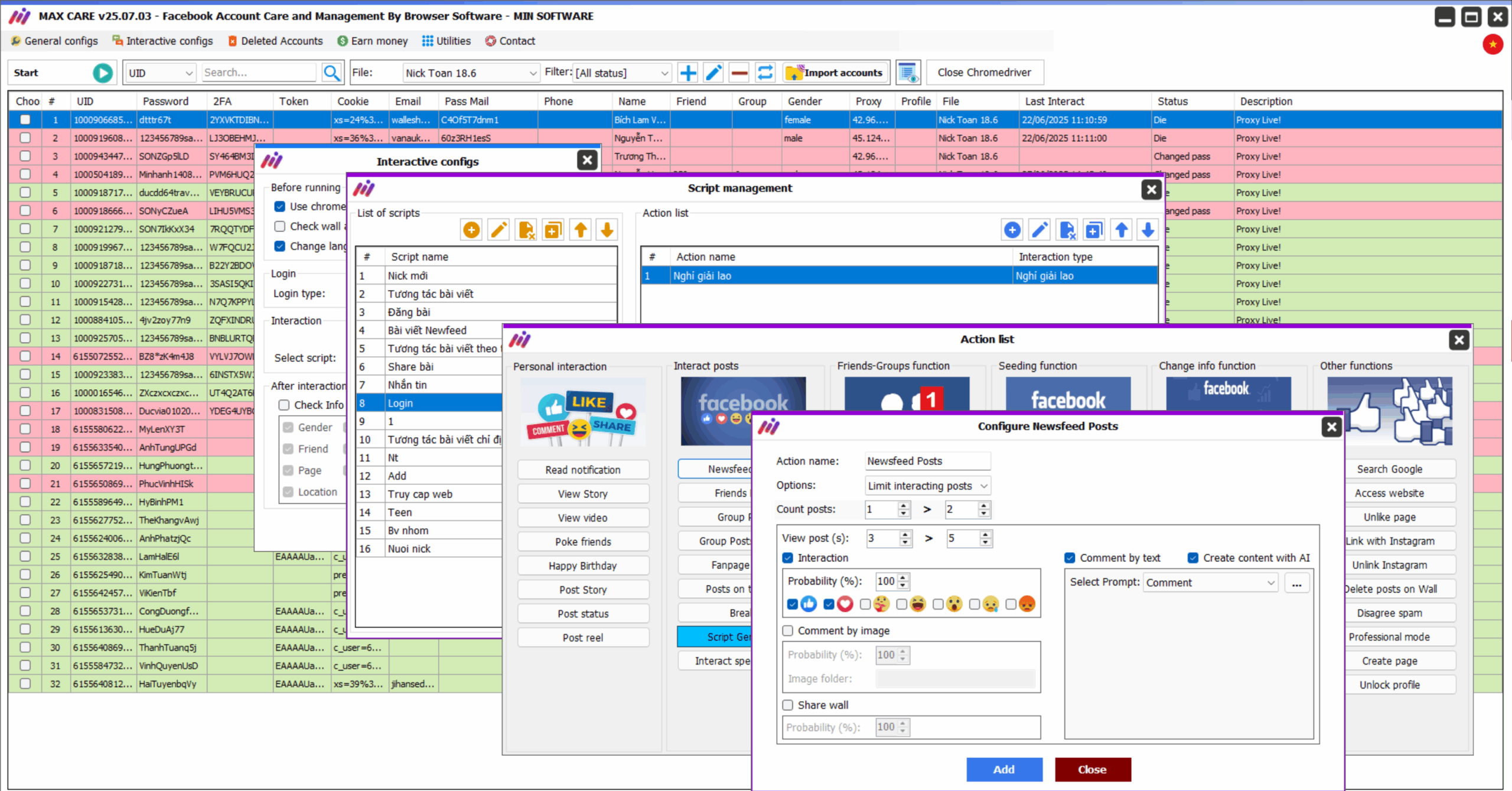
- Newsfeed Interaction: Automatically likes, shares, and comments on posts in the newsfeed
- Friend Interaction: Engages with friends’ posts by liking, sharing, and commenting
- Targeted Post Interaction: Interacts with specific types of posts in the newsfeed, groups, pages, personal walls, and friends’ posts.
- UID-Specific Interaction: Engages with posts based on pre-specified UIDs.

Friend Management Features
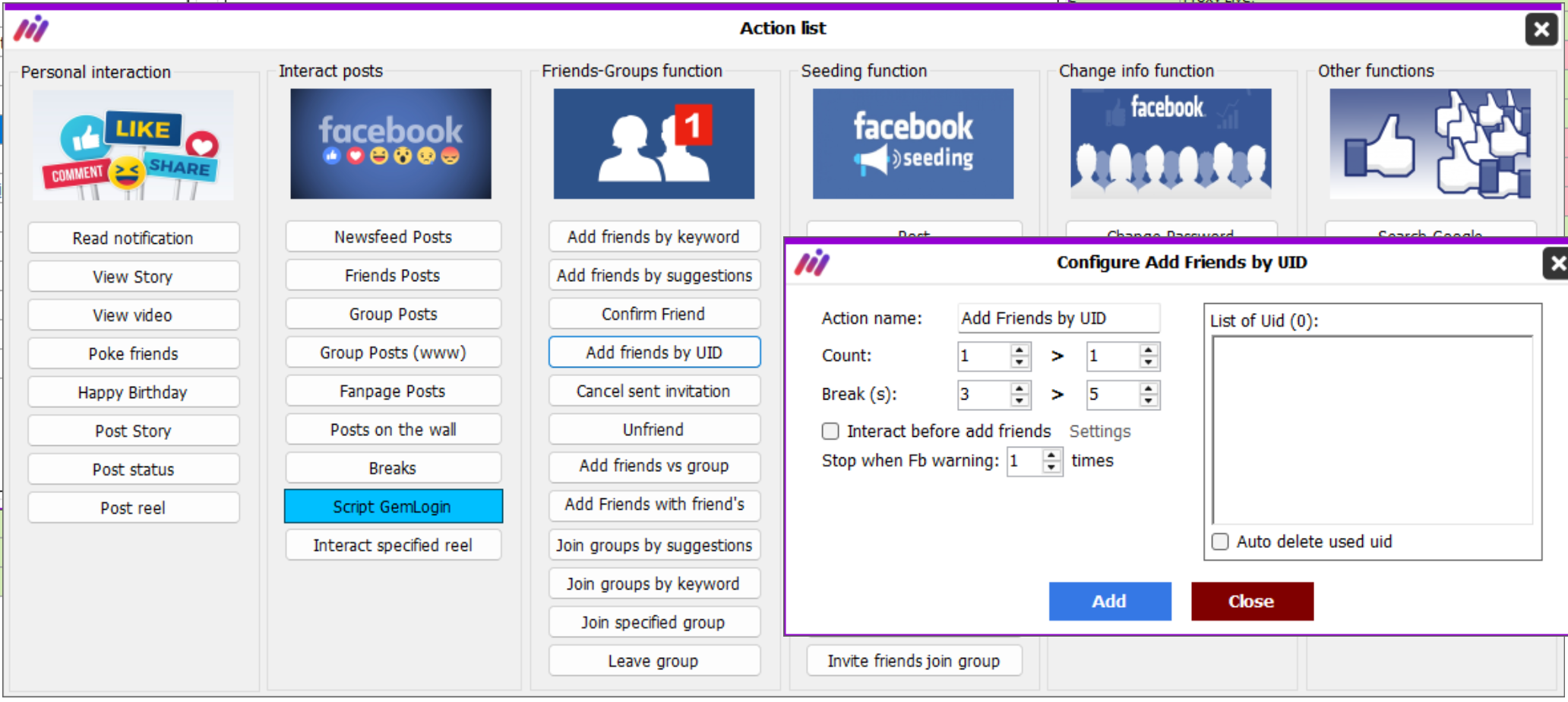
Includes the following actions:
- Add Friends by Keyword
- Add Friends from Suggestions
- Add Friends via UID List
- Add Friends from a Specific Group (Using UID)
- Add Friends of Friends
- Accept Friend Requests
- Unfriend Contacts
- Cancel Sent Friend Requests
Group Management Features
Includes the following actions:
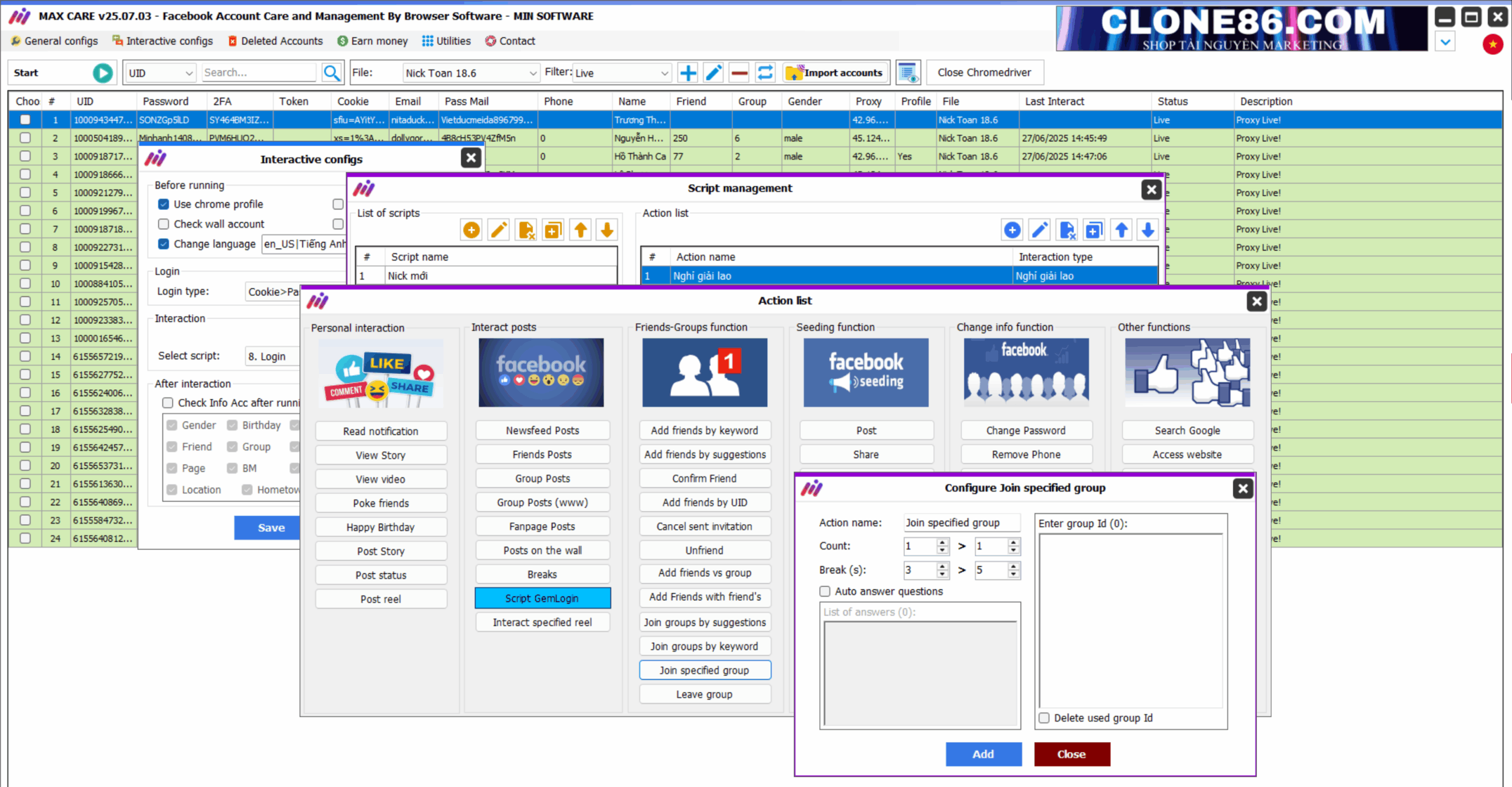
- Join Suggested Groups (Recommended by Facebook)
- Join Groups by Searching Keywords
- Join Groups via UID List
- Invite Friends to Groups
- Leave Groups (Based on UID or specific conditions such as moderated groups, groups with low member count, or groups with certain keywords in the name)
Seeding Features
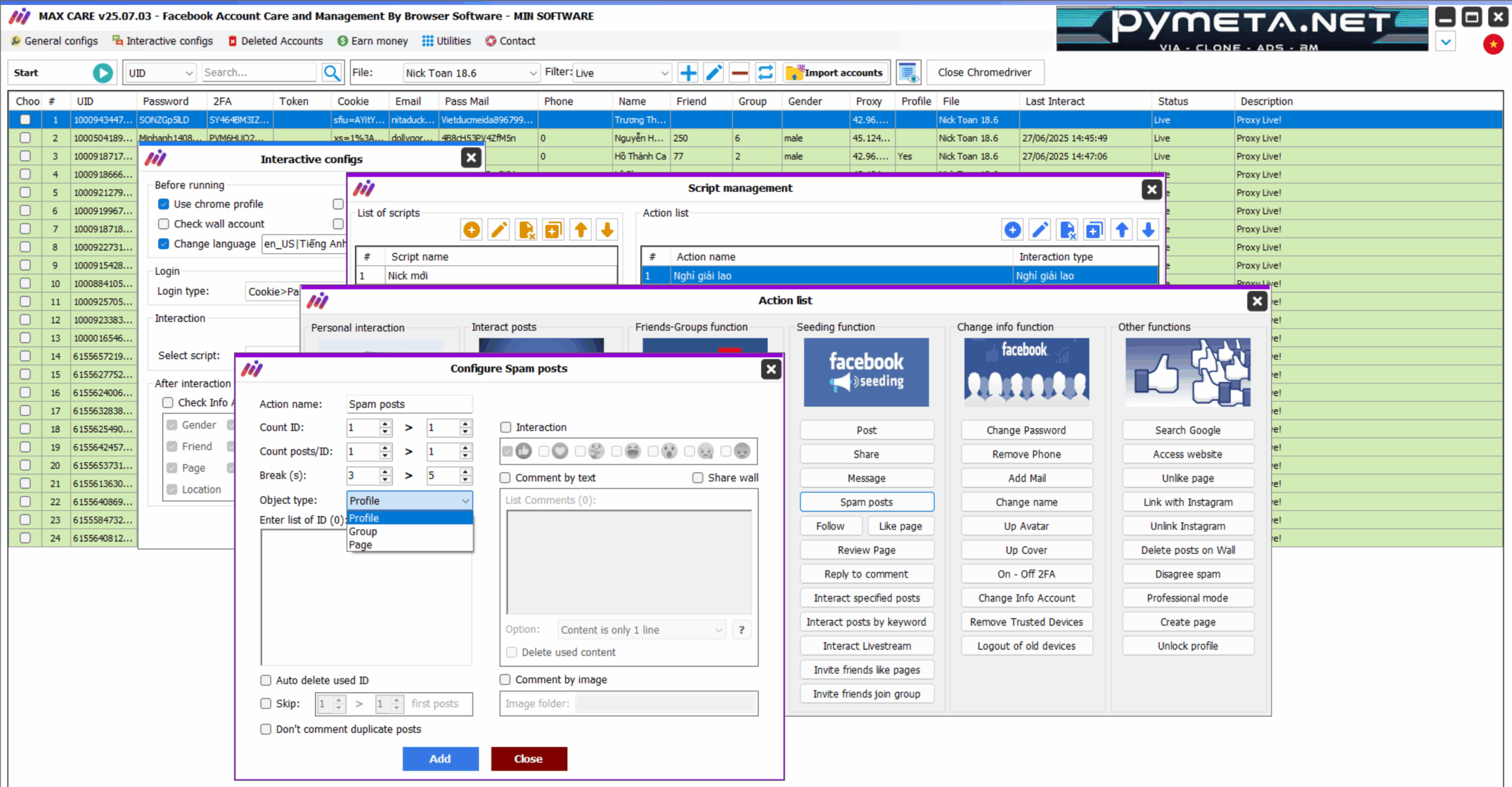
Includes the following functionalities:
- Increase Likes, Comments, and Shares on Posts
- Increase Followers on Personal Accounts
- Boost Likes and Follows for Pages
- Increase Messages for Personal Accounts (Send messages to a specific Facebook user, like and share their posts)
- Spam Posts (Specify a post UID and run automated interactions on it)
- Increase Video Views
- Post on Walls, Groups, and Pages (Customize content, images, and videos)
- Share Posts on Walls or Groups (Pre-set content, configure conditions such as interacting with the group before sharing, prioritizing active groups, avoiding duplicate shares in the same group)
- Invite Friends to Like a Page
Other Features
- Data Backup: Save birthdates, friend photos, recent comments, and messages to prevent issues with Facebook checkpoints
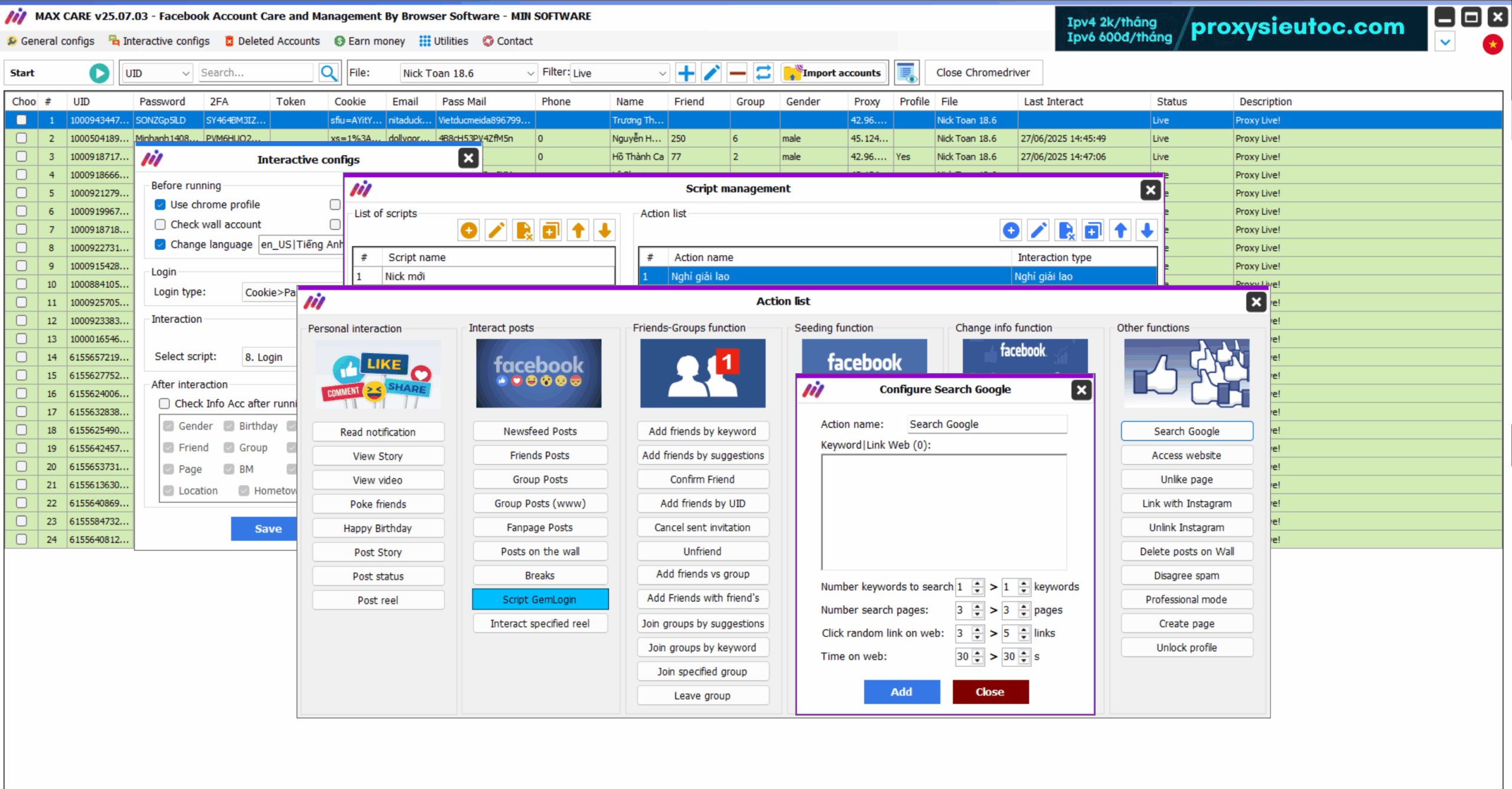
- Simulated Activities: Google Search: Mimics searching for a keyword on Google
- Website Visits: Simulates user visits to specified websites
- Break Mode: Keeps Facebook open without interacting for a set period
- Unlike Pages
- Modify Interests Based on Keywords
- Change Nickname
- Link to Instagram
- Clone ID Posting: Post content from clone accounts to personal walls, groups, or pages
- Delete Posts: Remove posts from personal walls or pages
Mass Posting on Facebook
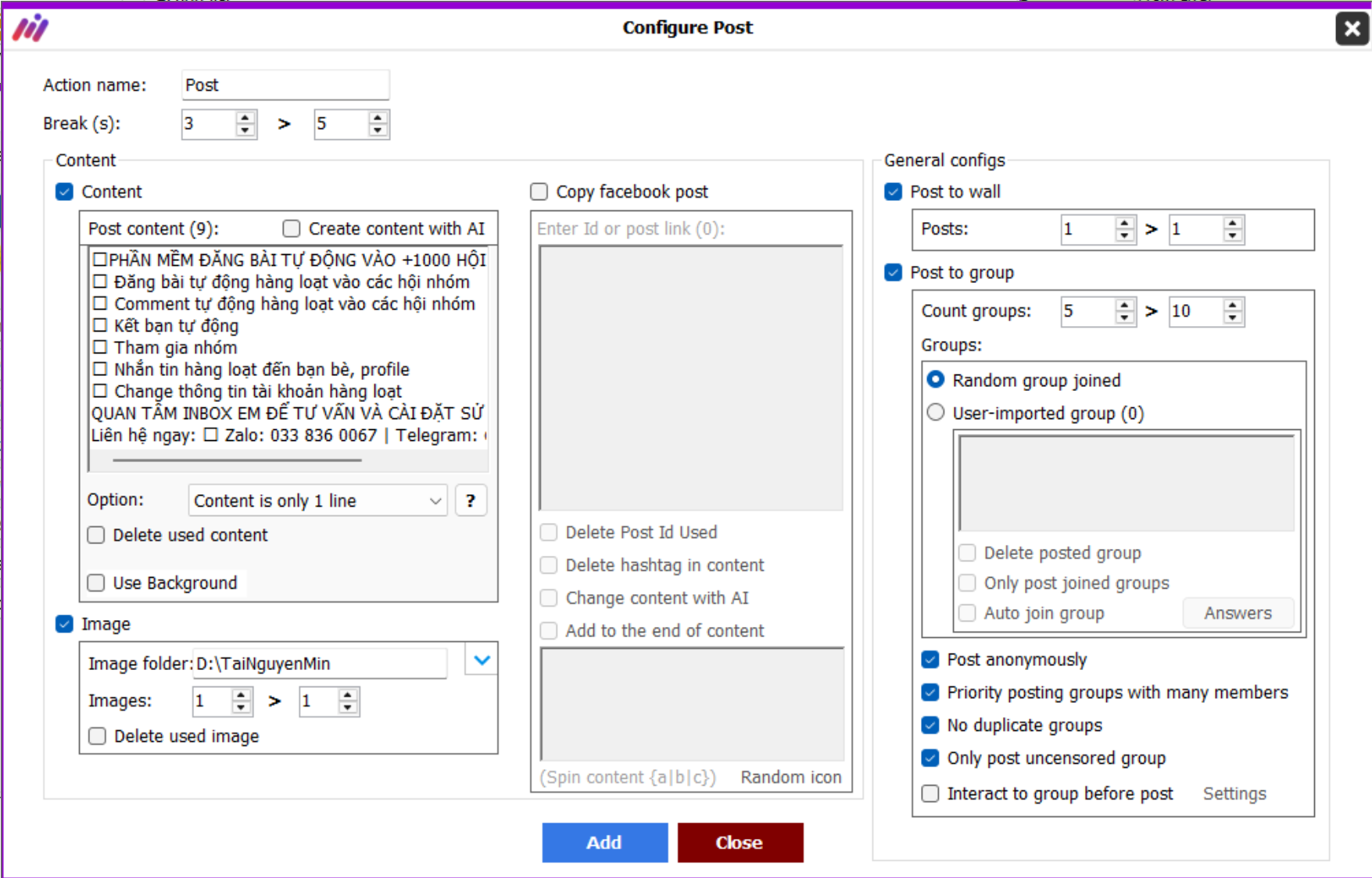
Facebook advertising is a zero-cost marketing strategy chosen by many online businesses. To speed up and automate Facebook posting, Max Care Facebook offers powerful tools to streamline and manage posts effectively.
Key Features:
- Customize post settings for groups, pages, or personal profiles.
- Filter groups for posting based on conditions (moderated groups, member count).
- Support spin content {a|b|c} to avoid duplicate posts.
- Support diverse post formats, including text, images, and videos.
Mass Sharing on Facebook
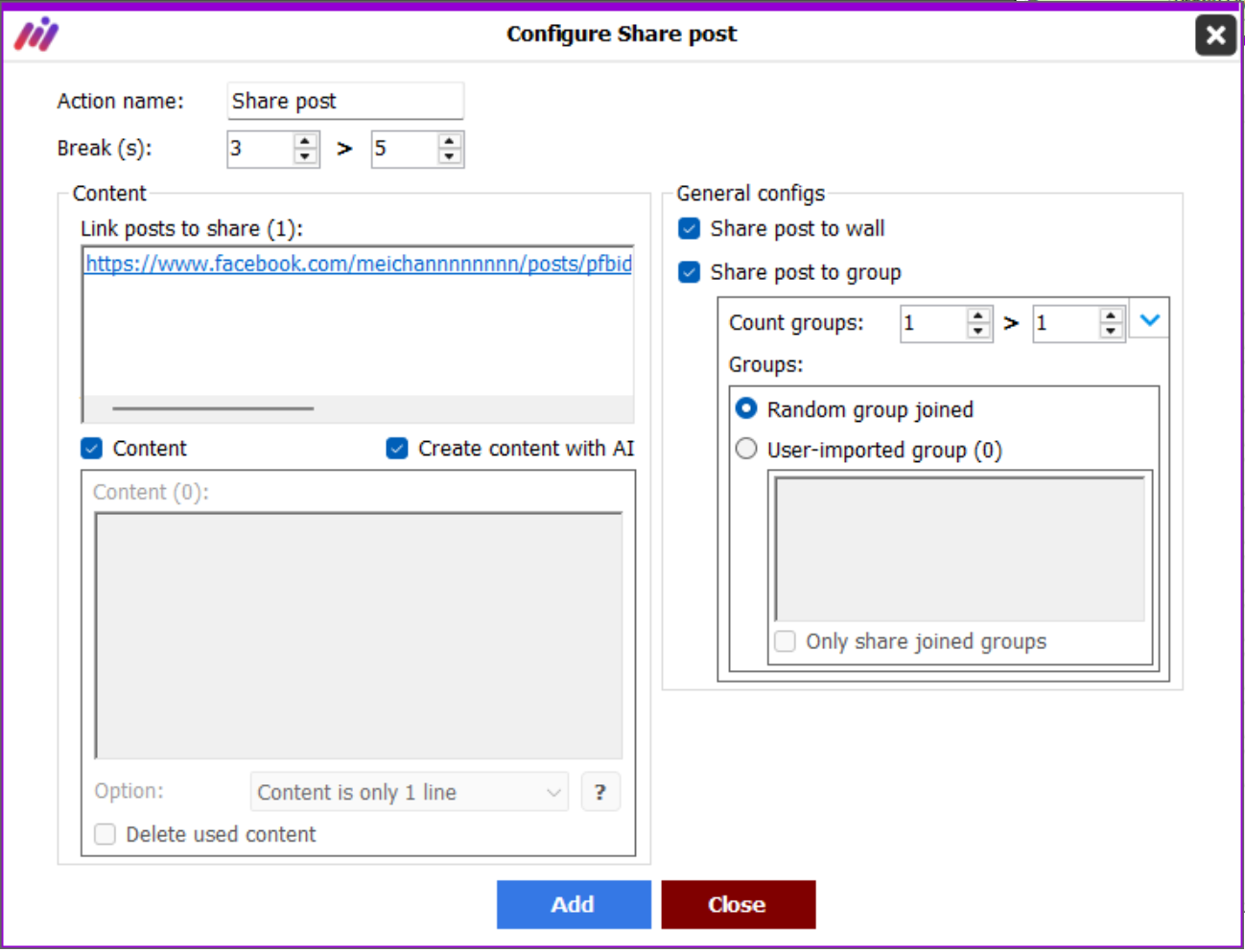
Sharing posts or livestreams in multiple groups helps expand reach while reducing ad costs. Here’s what Max Care Facebook’s auto-sharing feature offers:
Key Features:
- Customize sharing to groups, pages, or personal profiles.
- Automatically share livestreams, videos, and text posts.
- Filter groups based on conditions (moderated groups, member count).
- Support spin content {a|b|c} to prevent duplicate shares.
- Input multiple links, and the tool will randomly select from the list.
Livestream Viewing & Seeding
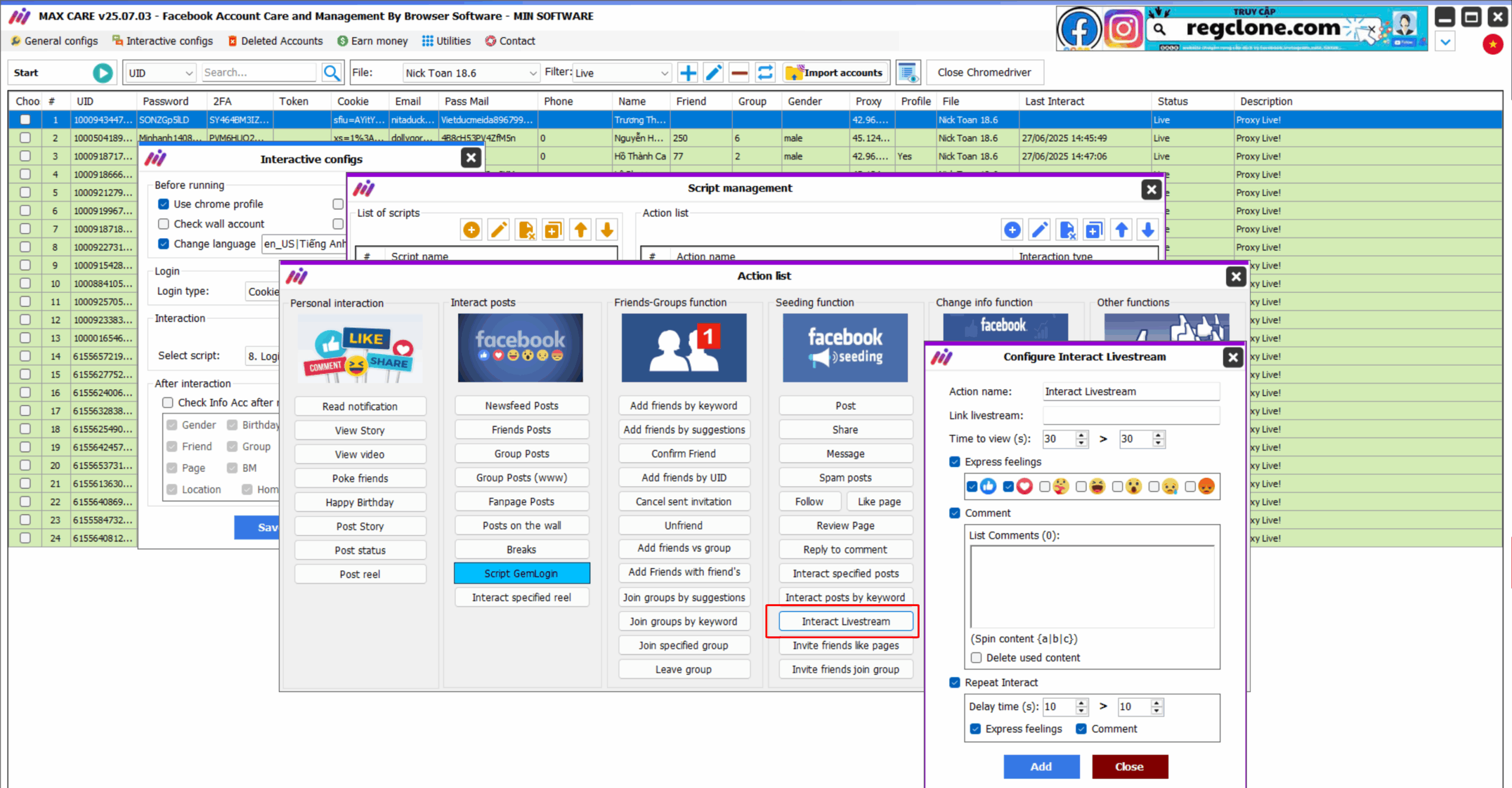
Max Care Facebook allows you to automatically watch livestreams on Facebook using pre-input links.
Key Features:
- Auto-watch livestreams.
- Auto-react with emotions and comment to create engagement.
Facebook Account Information Updates
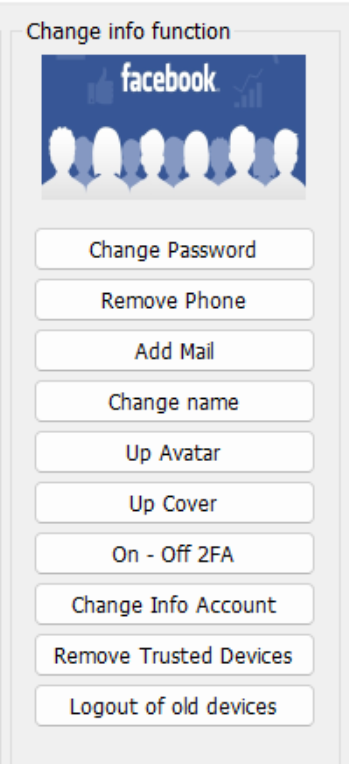
Instead of manually updating each Facebook account, Max Care Facebook enables bulk profile modifications, including:
General Settings
- Configure running threads, IP settings, and login options.
Profile Updates
- Change Language
- Add Phone Number
- Update Avatar & Cover Photo
- Edit Bio
- Modify Birthday
- Update Personal Details (Workplace, Hometown, Address, School)
- Change Gender
- Remove Trusted Devices
- Auto-delete Phone Numbers
- Change Email Address
- Rename Account
- Reset Password
- Enable Two-Factor Authentication (2FA)